Daily Notes: Easy Notepad
Publisher Description


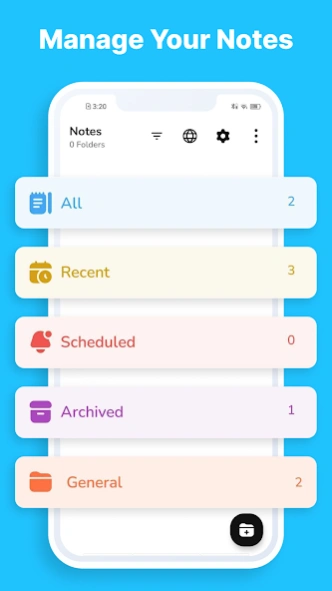
Quickly create notes, manage tasks, and organize your to-do list—all in one app
Need a fast and straightforward app for notes and to-do lists? Daily Notes has got you covered! Instantly write down ideas, manage tasks, set reminders, and keep everything organized. Perfect for quick notes or detailed planning, Daily Notes makes staying on top of things simple and hassle-free.
Notepad Features
✏️Quick Note: Capture thoughts and ideas instantly.
✏️To-Do Lists: Organize tasks and manage your daily activities.
✏️Schedule Task: Set alerts to stay on top of important tasks.
✏️Color Your Notes: Categorize and prioritize with vibrant colors.
✏️Customize Your Notes: Adjust note formats with customizable title and body text.
✏️Share Notes: Easily share notes with friends or colleagues.
✏️Search Function: Find specific notes in seconds.
Effective To-Do List Management
Managing tasks and to-do lists is crucial for staying organized and productive. Daily Notes offers convenient to-do list features that allow you to create, edit, and check off tasks instantly. Set priorities and track your progress on various tasks to get a great overlook. Our to-do list functionality is designed to help you manage your daily responsibilities effectively.
Customizable Reminders
Never miss a deadline or appointment again with Daily Notes' reminder feature. Schedule tasks to ensure you stay on track with projects, work, school, etc. Whether it's a simple reminder for a meeting or a recurring alert for a daily task, our app makes it easy to stay organized and punctual. Customize reminder settings to fit your schedule and preferences.
Share Notes Instantly
Want to share your notes with friends or teammates? Daily Notes makes it super easy. Just hit the share button and send your notes via text, email, or social media. Whether you’re collaborating on a project or passing along a quick idea, sharing is 1-click away, keeping everyone in the loop without any hassle.
Find Notes Instantly
Struggling to find that one important note? No worries—Daily Notes’ search feature has got you covered. Just type in a keyword or phrase, and boom, your note pops right up. It’s fast and efficient, so you spend less time scrolling and more time doing what you need.
Customize with Color
Make your notes look different with the option to set colors on them, this way lets you organize notes better. You can easily assign different colors to your notes to keep things organized and visually appealing. Whether you’re categorizing subjects, prioritizing tasks, or just adding a bit of flair, color-coding helps you quickly spot and manage your notes. It’s a fun and practical way to stay on top of your game!
Easy Note-Taking
Daily Notes is built for your busy life. Whether taking notes in class, writing down ideas at a meeting, or catching a flash of inspiration, the app’s simple and sleek design helps you get your thoughts down fast. Just tap the app and start typing—no fuss, no complex menus. The smooth interface keeps you focused on your ideas, so you never miss a key detail. For anyone who values quick and easy note-taking, Daily Notes is the go-to app for staying organized and efficient.
Flexible Note Management
Customize how you organize your notes. Use color-coding to differentiate between categories, and choose from various layouts to suit your style. With search and sharing features, managing and accessing your notes is quick and easy, making Daily Notes a powerful tool for any busy lifestyle.
Daily Notes isn’t just about taking notes—it’s about making your life easier and more organized. Download Daily Notes now and experience how a simple app can transform your productivity and keep you on top of your game!
After call screen : Check caller details and access call recordings seamlessly in one screen.!
About Daily Notes: Easy Notepad
The company that develops Daily Notes: Easy Notepad is Loose Pen. The latest version released by its developer is 1.0 .
To install Daily Notes: Easy Notepad on your Android device, just click the green Continue To App button above to start the installation process. The app is listed on our website since 2026-08-24 and was downloaded 0 times. We have already checked if the download link is safe, however for your own protection we recommend that you scan the downloaded app with your antivirus. Your antivirus may detect the Daily Notes: Easy Notepad as malware as malware if the download link to note.colornote.notepad.reminder.app is broken.
How to install Daily Notes: Easy Notepad on your Android device:
- Click on the Continue To App button on our website. This will redirect you to Google Play.
- Once the Daily Notes: Easy Notepad is shown in the Google Play listing of your Android device, you can start its download and installation. Tap on the Install button located below the search bar and to the right of the app icon.
- A pop-up window with the permissions required by Daily Notes: Easy Notepad will be shown. Click on Accept to continue the process.
- Daily Notes: Easy Notepad will be downloaded onto your device, displaying a progress. Once the download completes, the installation will start and you'll get a notification after the installation is finished.
